Dovetail
Overview
Dovetail is intended for breaking large parts into a dovetail and socketed part that can be easily fitted together with very tight and precise tolerances. This might be useful, for example, when designing parts that cannot fit onto common 3d-printer beds, and must be broken into multiple parts.
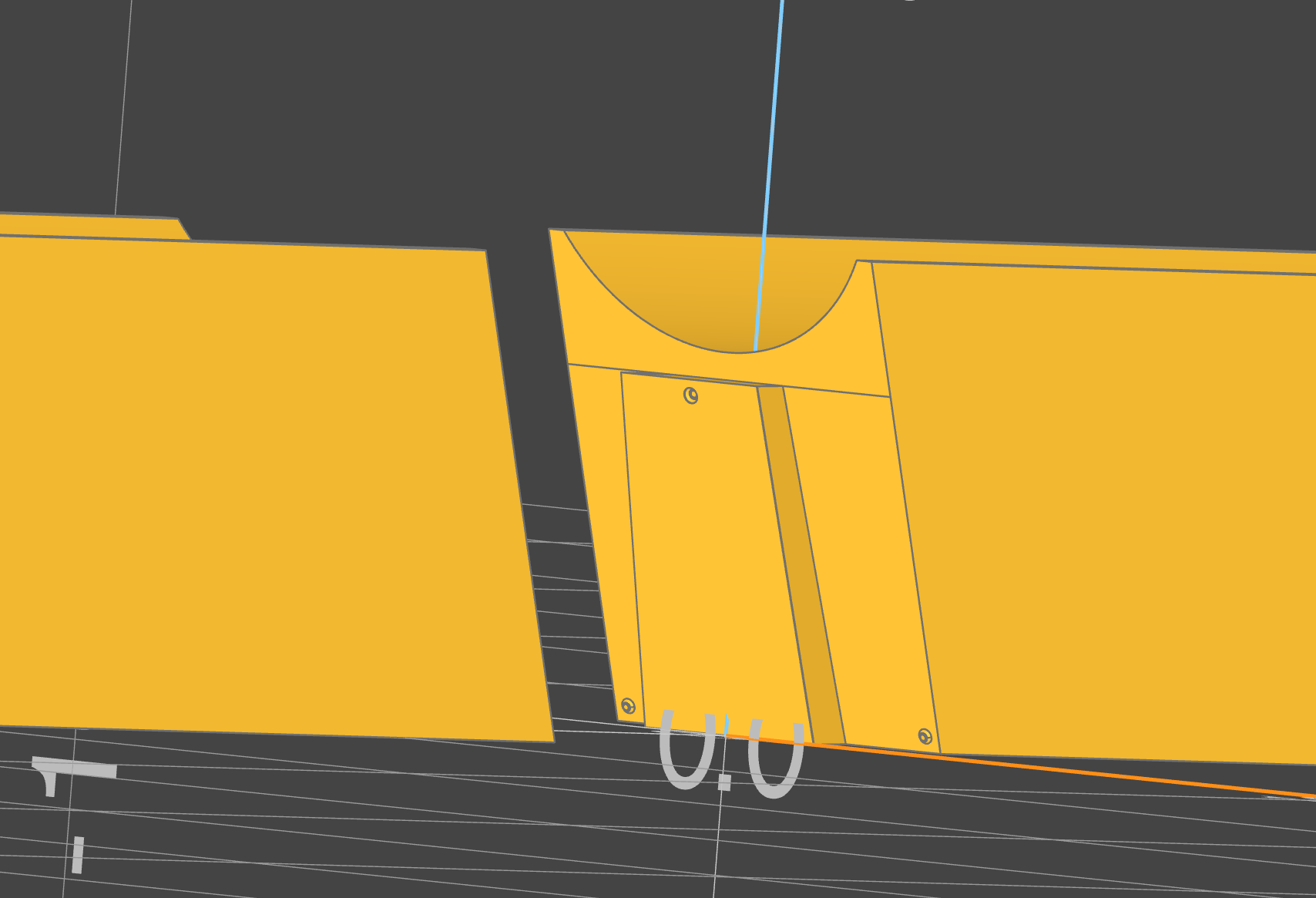
The dovetail_subpart function takes a build123d part and the necessary parameters to break it into either the dovetail or the socket component of the split. To build both halves at once, use dovetail_split.
All linear dimensions are in millimeters and all angles are in degrees.
Terminology
- subpart — one of the two pieces produced by splitting a part. This is what
dovetail_subpartreturns, and thesubpart=argument selects which one you get. - tail — the subpart carrying the protruding tongue (
DovetailSubpart.TAIL). - socket — the subpart carrying the matching recess (
DovetailSubpart.SOCKET).
The two subparts are not equal halves: the tongue belongs to the tail, and for SNUGTAIL the joint wraps around three sides, so the socket is typically several times the volume of the tail.
Styles
style selects the joint geometry, and it determines which of the other arguments have any effect:
DovetailStyle.SNUGTAIL(default) — an updated design for 3d printing that wraps around three sides of the object for a tighter fit and a large glue/friction surface.DovetailStyle.TRADITIONAL— a traditional woodworking dovetail.DovetailStyle.T_SLOT— a T-shaped tail, sized by slot count and depth rather than by tongue ratios.
Arguments
Always applicable
part(Part): The part to split into a dovetail or socket part. The part should be oriented along the XY plane.start(Point): The start point along the XY Plane for the dovetail line.end(Point): The end point along the XY Plane for the dovetail line.subpart(DovetailSubpart, default=DovetailSubpart.TAIL): Which subpart to create —DovetailSubpart.TAILorDovetailSubpart.SOCKET.style(DovetailStyle, default=DovetailStyle.SNUGTAIL): The dovetail style. See Styles.tolerance(float, default=0.025): The clearance between tail and socket, in mm.vertical_tolerance(float, default=0.2): Additional tolerance for vertical offset, given that in printing, supports or bridging introduce additional volume.scarf_angle(float, default=0): Places the entire cut and dovetail at an angle along the Z-axis. Likely to improve stability in some parts.taper_angle(float, default=0): Tapers the dovetail by the given angle. Even a small taper angle can allow for easier assembly.vertical_offset(float, default=0): Offsets the dovetail along the Z axis, producing a straight cut on one side that acts as a hard stop when fitting. A positive value gives a straight cut on the bottom of the part, a negative value on the top.click_fit_radius(float, default=0): The radius of the click-fit divots.0disables them.
Style-conditional
The table below reflects what each parameter actually changes. Passing a parameter to a style that does not use it raises ValueError rather than being silently discarded.
| Argument | Default | TRADITIONAL | SNUGTAIL | T_SLOT |
|---|---|---|---|---|
length_ratio |
1/3 | ✅ | ✅ | — |
depth_ratio |
1/6 | ✅ | — (see below) | — |
tail_angle_offset |
15 | ✅ | ✅ | — |
linear_offset |
0 | ✅ | — | — |
slot_count |
1 | — | — | ✅ |
depth |
2 | — | — | ✅ |
length_ratio(float, default=1/3): The ratio of the length of the tongue to the total length of the cut.depth_ratio(float, default=1/6): The ratio of the depth of the tongue to the total length of the cut.tail_angle_offset(float, default=15): The adjustment pitch of the angle of the dovetail.0results in a square dovetail.linear_offset(float, default=0): Offsets the center of the tail or socket along the line by the amount specified. This slides the joint along the cut without changing its volume.slot_count(int, default=1): The number of slots to be added.depth(float, default=2): The depth of the T-slot into the socket.
depth_ratio and SNUGTAIL
SNUGTAIL rejects depth_ratio; it uses its own prototyped value of 0.15.
This is deliberate, not an oversight. The snugtail depth
model was rewritten after physical prototyping so that depth_ratio no longer means
what it means for TRADITIONAL, and forwarding the shared value would change the
geometry of every snugtail joint. length_ratio and tail_angle_offset are
honored for SNUGTAIL.
Building both halves
Both subparts of a joint must be built from identical arguments; a single divergent value produces two subparts that are each valid and do not fit. dovetail_split builds the pair from one argument set, so they cannot diverge:
from build123d import Align, Box, BuildPart, Mode
from b3dkit import DovetailStyle, Point, dovetail_split

with BuildPart(mode=Mode.PRIVATE) as longbox:
    Box(50, 40, 50, align=(Align.CENTER, Align.CENTER, Align.MIN))

tail, socket = dovetail_split(
    longbox.part,
    Point(0, -20),
    Point(0, 20),
    style=DovetailStyle.TRADITIONAL,
    length_ratio=0.7,
)
It accepts every argument dovetail_subpart does except subpart, which it supplies for each half.
Returns
Part: The requested subpart — the tail or the socket, persubpart.
Example
from build123d import Align, Box, BuildPart, Mode
from b3dkit import Point, DovetailSubpart, DovetailStyle, dovetail_subpart

with BuildPart(mode=Mode.PRIVATE) as longbox:
    Box(50, 40, 50, align=(Align.CENTER, Align.CENTER, Align.MIN))

start = Point(0, -20)
end = Point(0, 20)

# A mating pair with default parameters (SNUGTAIL).
tail = dovetail_subpart(longbox.part, start, end, subpart=DovetailSubpart.TAIL)
socket = dovetail_subpart(longbox.part, start, end, subpart=DovetailSubpart.SOCKET)
Both subparts of a joint must be built from the same arguments — only subpart may
differ. Any other divergence produces two subparts that are individually valid and do
not fit together.
# A traditional dovetail with custom proportions.
joint = dict(
    style=DovetailStyle.TRADITIONAL,
    tolerance=0.1,
    scarf_angle=5,
    taper_angle=2.0,
    length_ratio=0.7,
    depth_ratio=1 / 4,
    click_fit_radius=0.2,
)

tail = dovetail_subpart(longbox.part, start, end, subpart=DovetailSubpart.TAIL, **joint)
socket = dovetail_subpart(longbox.part, start, end, subpart=DovetailSubpart.SOCKET, **joint)
Raises
ValueError: ifstartandendare the same point.ValueError: ifabs(vertical_offset)exceeds the part's height.ValueError: ifvertical_offsetis negative andtaper_angleis negative.ValueError: ifvertical_offsetis positive andtaper_angleis positive.ValueError: for SNUGTAIL, iflength_ratio + depth_ratioexceeds 1.ValueError: if an argument is passed that the chosenstyledoes not use — see the style-conditional table above.